
Start with operational reports
Review attendance, leave, employee, payroll, performance and document data in the reporting hub. Filter the information available to your role and follow up on gaps or unusual patterns.
Built for Indian teams
Move from day-to-day registers to a broader view of workforce activity. EmplifyAI brings operational reporting together across attendance, leave, payroll, employees, performance and documents, with trend views on eligible plans.
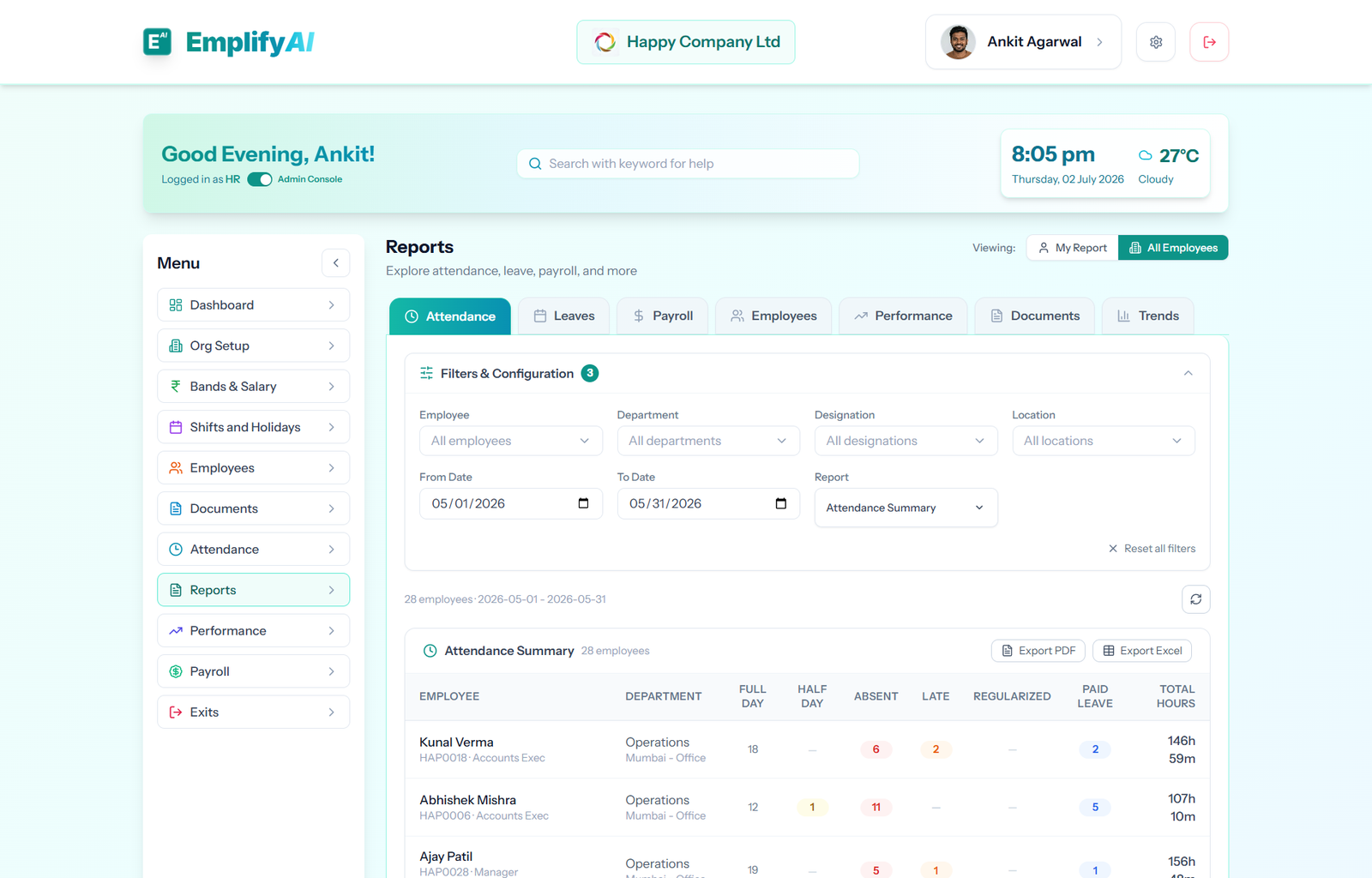
Review attendance, leave, employee, payroll, performance and document data in the reporting hub. Filter the information available to your role and follow up on gaps or unusual patterns.
Authorised payroll users can review PF, ESI, Professional Tax and TDS registers, plus supported upload and return preparation exports. These reports help reconcile payroll outcomes with filing work.
On eligible plans, trend views help management see changes over time. Use the reports to inform questions about attendance patterns, headcount and other people operations indicators.
Supported report sections offer exports. Scope and visibility follow the signed-in user’s role and permissions, so sensitive employee and payroll information remains limited to authorised people.
Trend reports are available according to plan. Other report sections also depend on role and module permissions.
No. Report sections and scope follow role and permission controls.
Share your requirements with the team. We review early-access requests and send a secure sign-up link; you do not need to enter payment-card details to request access.
Request early access